
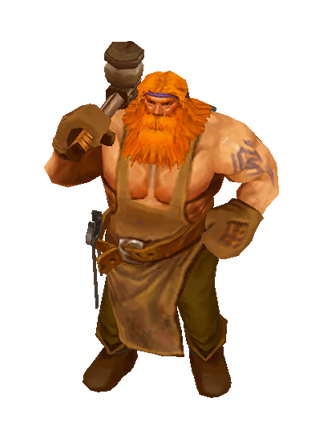
One of the most important people in any village or town is the Blacksmith. City blacksmith Holger is ready to upgrade or evolve your equipment for a modest fee.
The Blacksmith will be unlocked after completing the first level, the first location of the "Forest" region.
Up to three items can be upgraded or evolved at the same time. Initially, only one cell is available to you, the other two can be unlocked with diamonds.
Items Upgrade

To upgrade an item, transfer it from your inventory or character to a free slot at the blacksmith.
Please note that the item will not be available for the character during the upgrade.
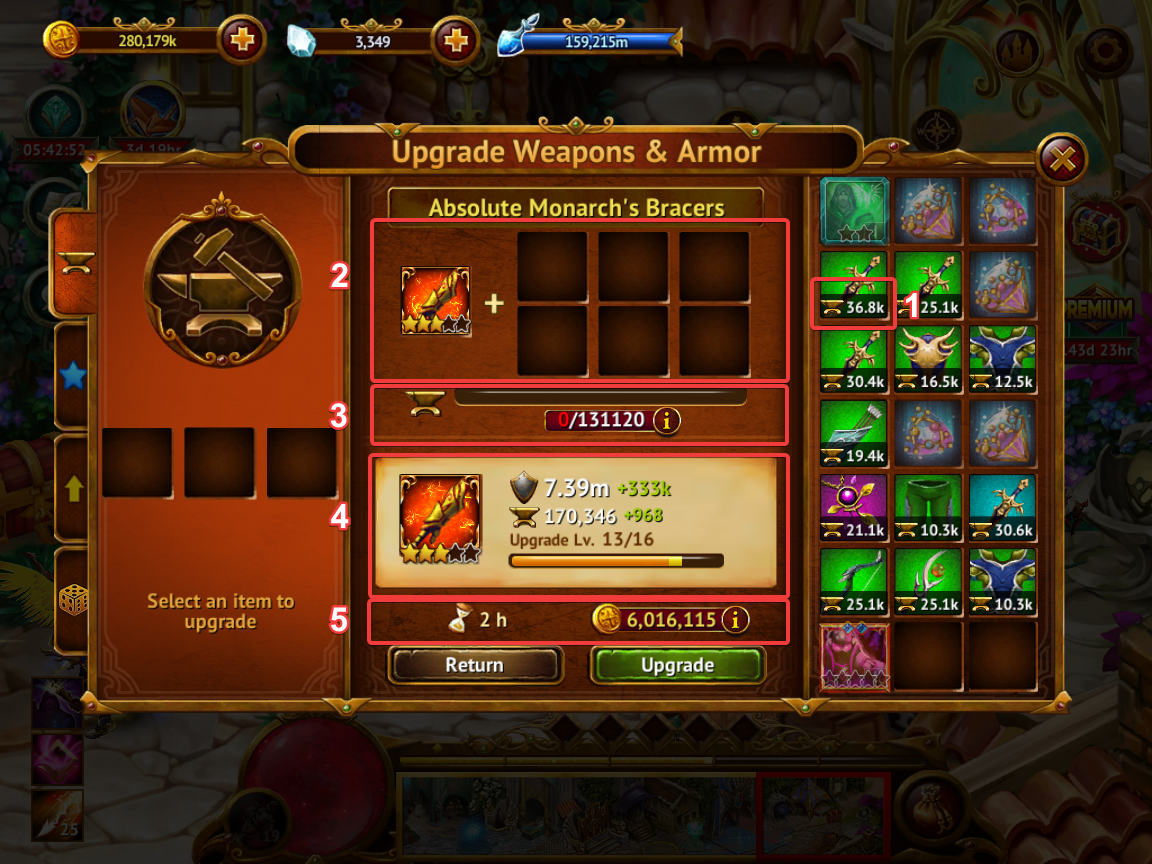
After you have transferred the item to the cell, the window will look the following.
- To improve an item, you need raw materials from other items. The inventory will display how much material is contained in a particular item.
- It is necessary to transfer items from inventory to these cells for processing into raw materials. Only 6 items can be recycled at a time.
- A scale showing how much raw material is needed to improve an item.
- It shows which stats of the item will be upgraded, including the upgrade level.
- The time it takes to upgrade an item and the cost of upgrading in gold.
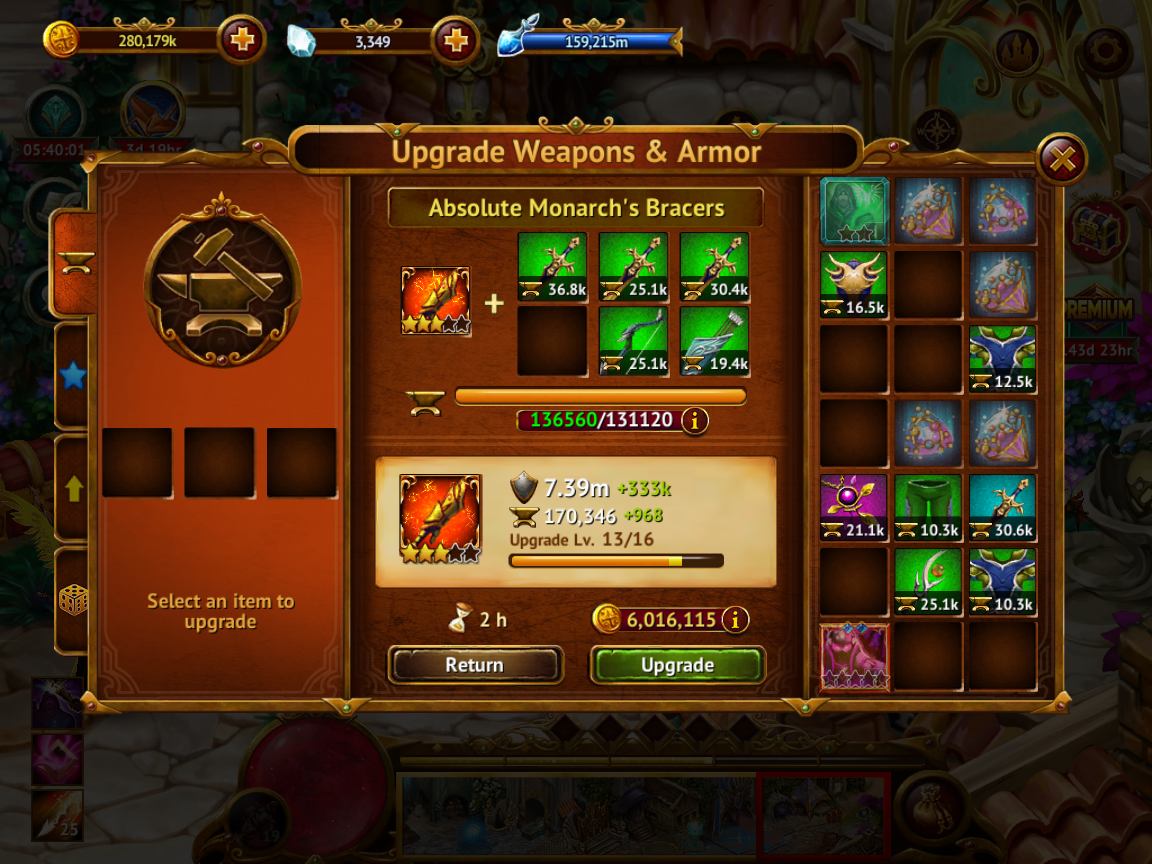
After you have transferred the items with the required amount of material, you can tap on the "Upgrade" button.
Resources added in excess of what is needed will disappear without any positive effect.
If you have not contributed raw materials or it is not enough to improve the item, then the improvement can be made using diamonds.
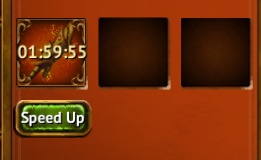
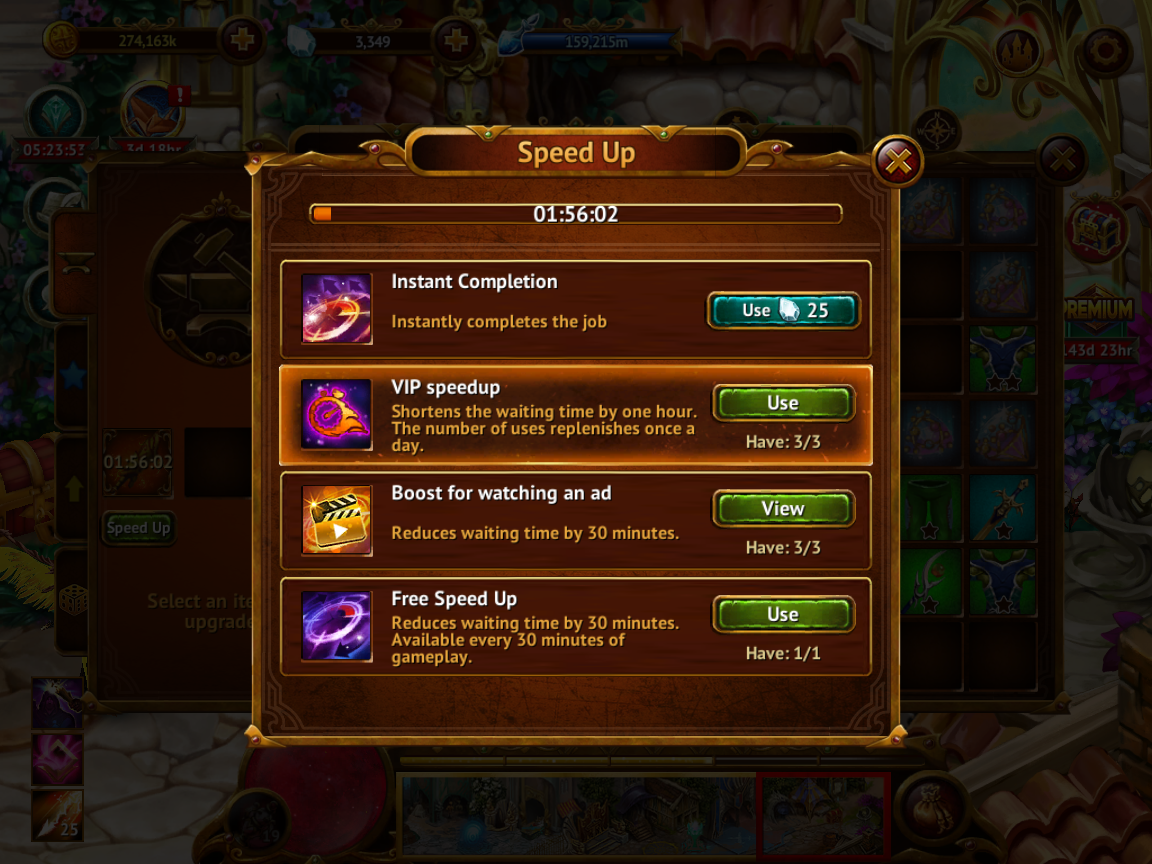
When the item is upgrading, you have an opportunity to speed up the timer.
Items Evolution
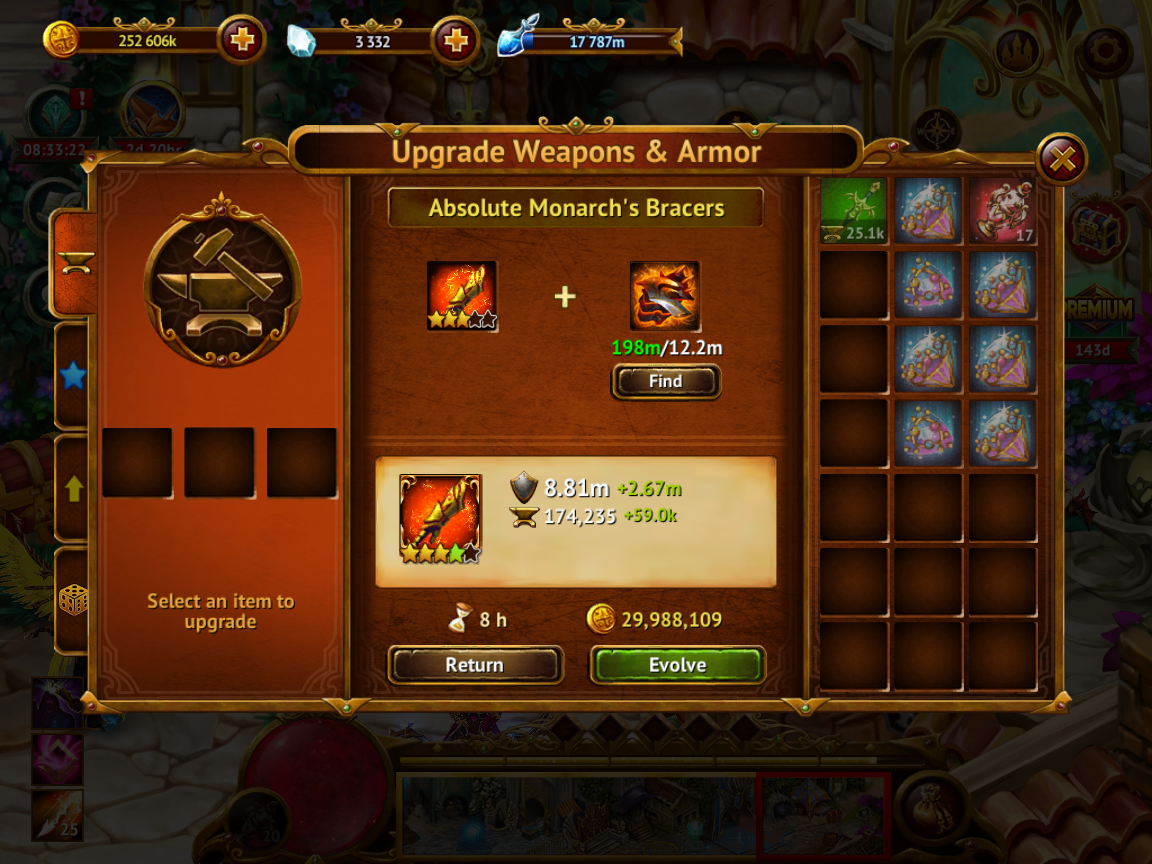
After the item's upgrade level reaches its maximum, you can evolve it and add a star to a free slot. The maximum star slots an item can have is five. Then you can make a 6 star item (see below).
When you transfer a fully upgraded item to the blacksmith slot, the evolution window opens. For the evolution of the item, fragments are required that correspond to the level of the item and are collected in the Star Arena. With a lack of fragments, evolution can be carried out using diamonds.
After each evolution, the item's upgrade bar will be reset.
Enhancing and adding a star cell

By participating in events, you have the opportunity to get infinity ore. With the help of ore, you can add a star to any item that has less than five star slots.
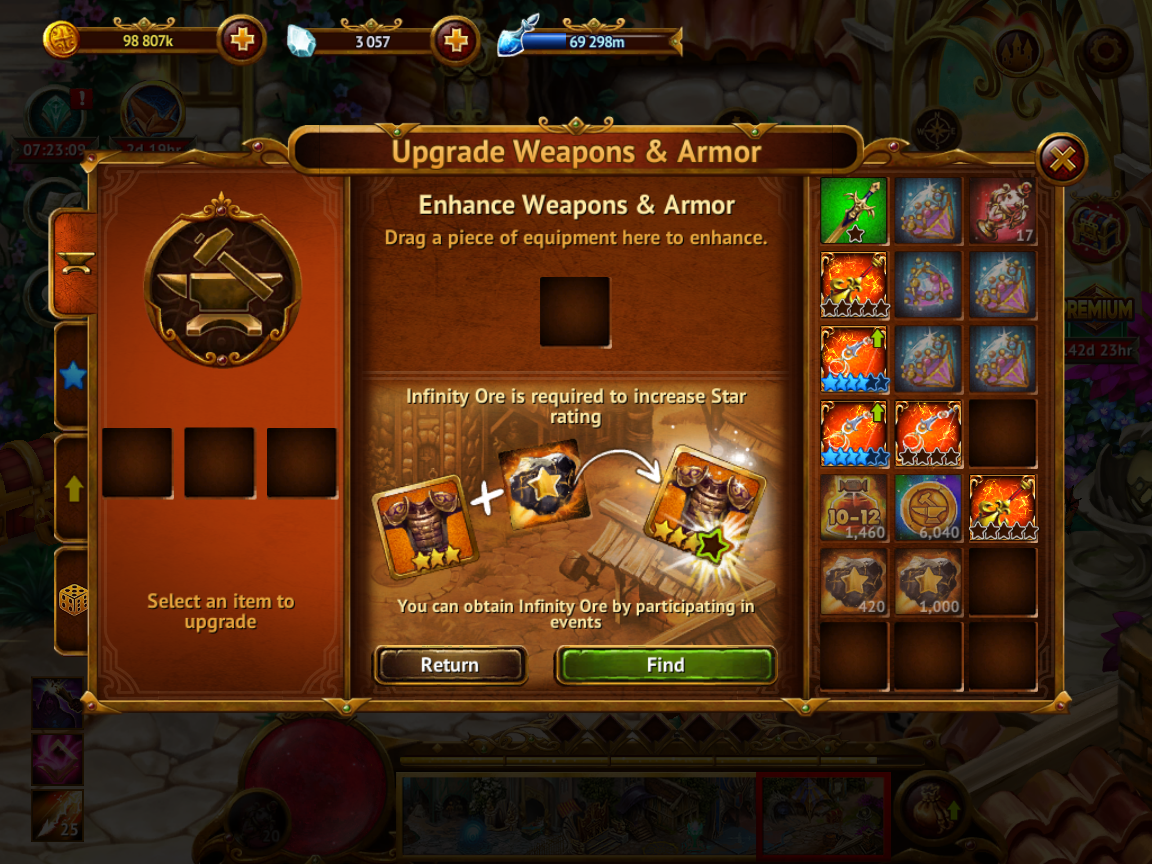
To do this, you need to transfer the infinity ore to the blacksmith's slot, as well as transfer the appropriate item to the cell in the center.
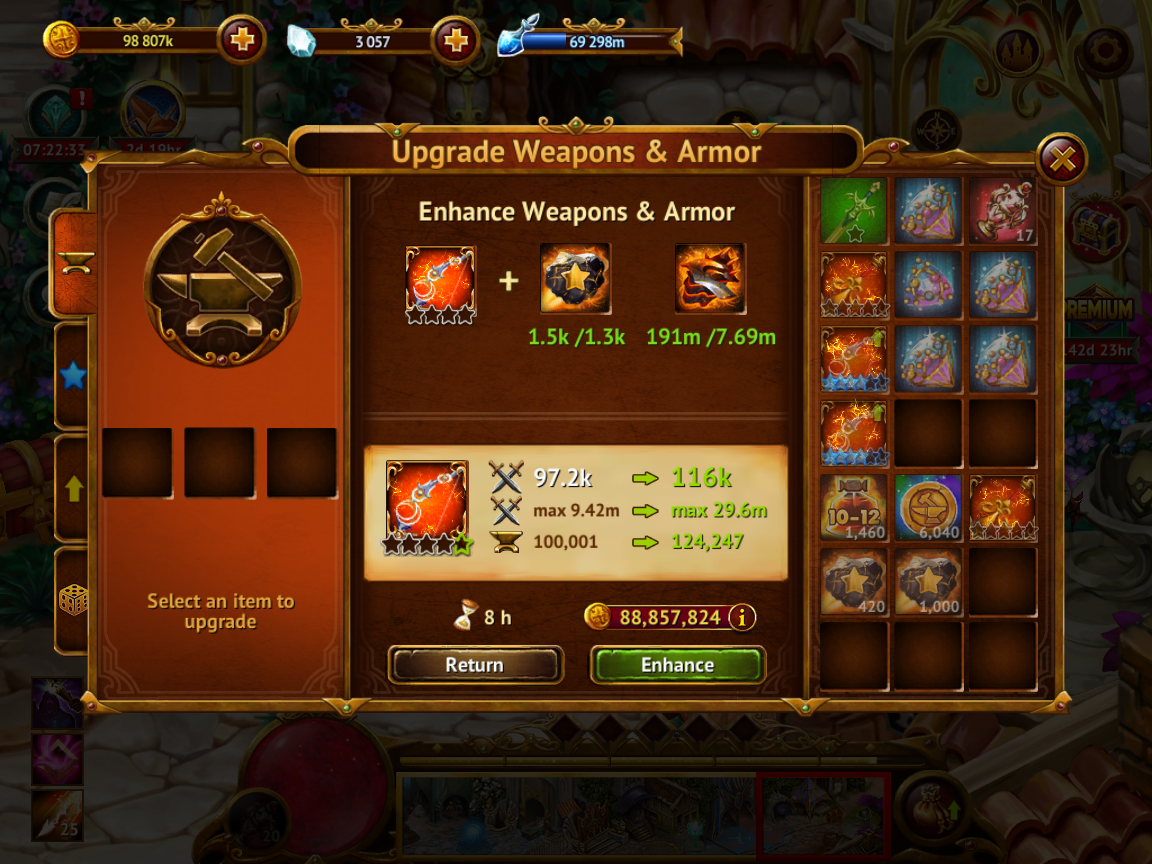
To enhance, in addition to the infinity ore, you need fragments corresponding to the rarity of the item.
After enhancing, a new star cell will be available to you to evolve and improve the item.

Items Ascension (6th Star)
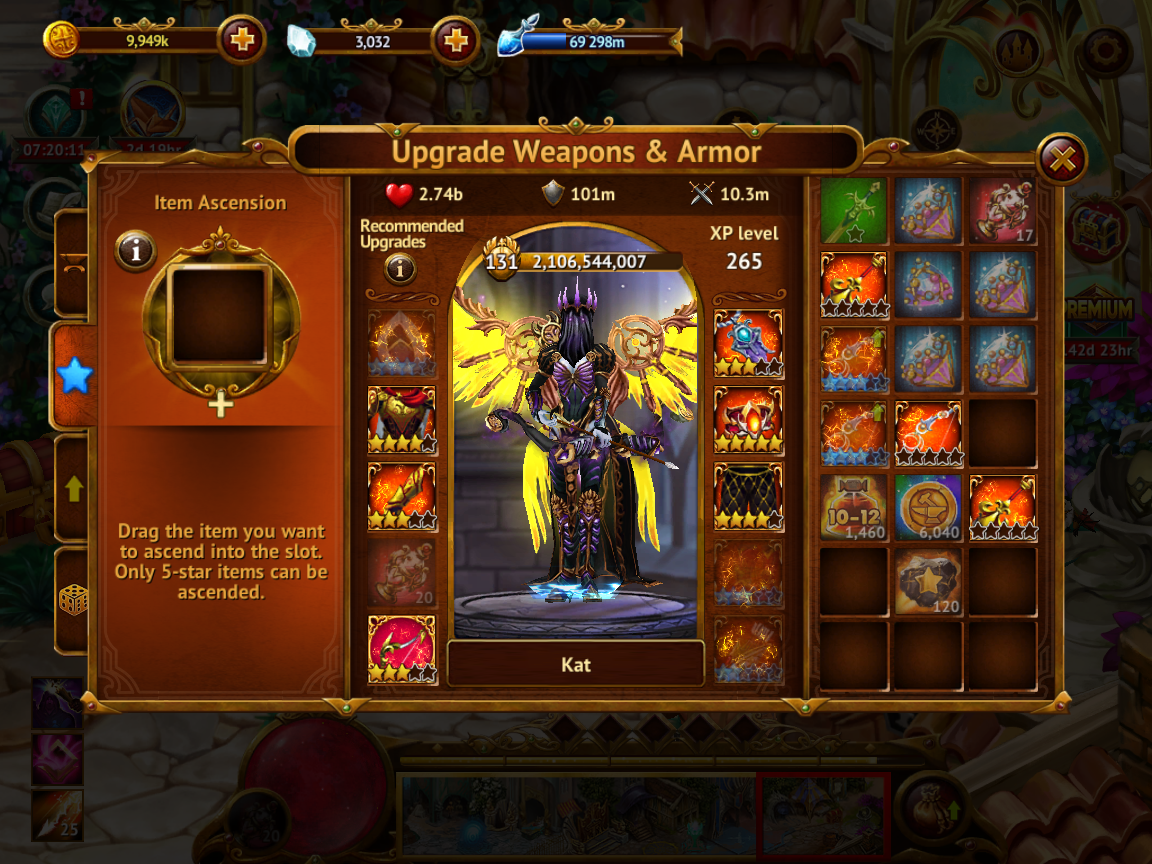
To ascend, you need two identical set items with 5 stars, as well as an infinity ore.
Important! Pay attention to the order of the items. If one item of the set already has upgrades, then it must be placed in the main cell, and an empty one - next to the ore (as in the screenshot). Then, when creating the 6th star, the leveling of the item will be preserved.
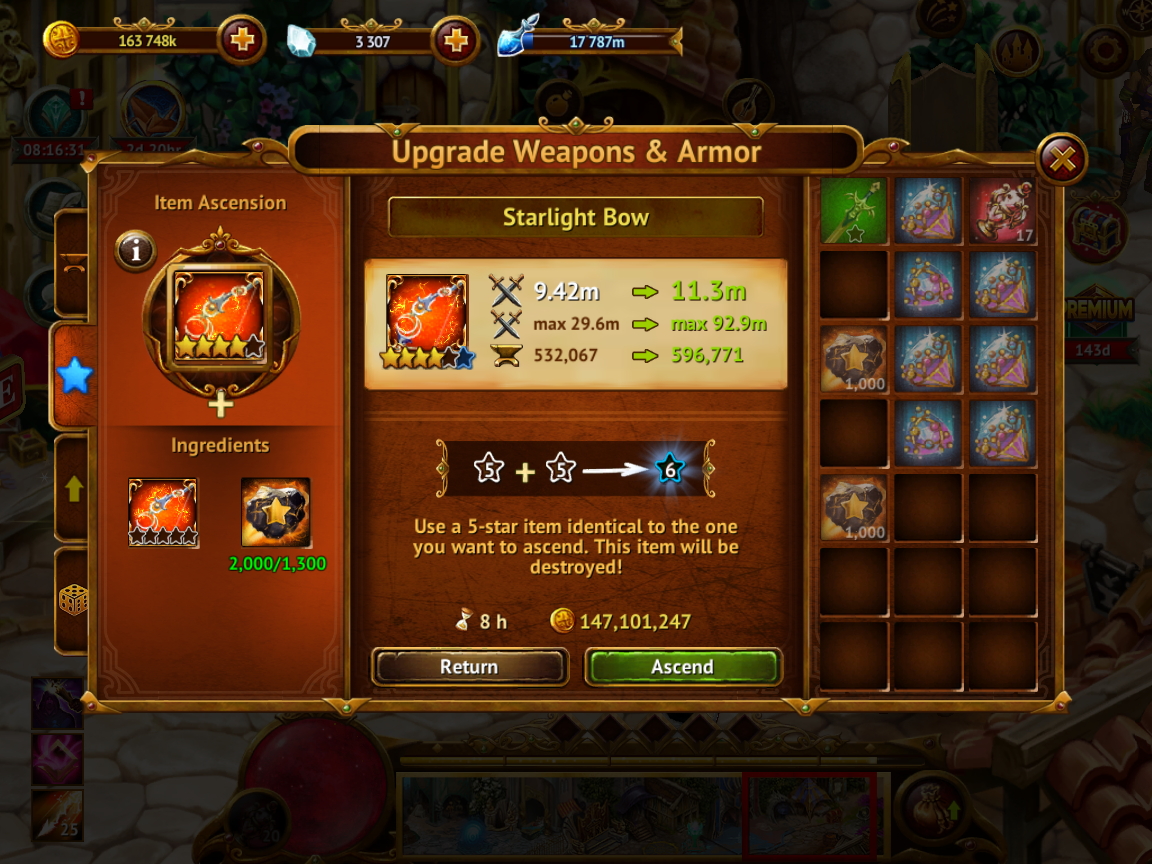
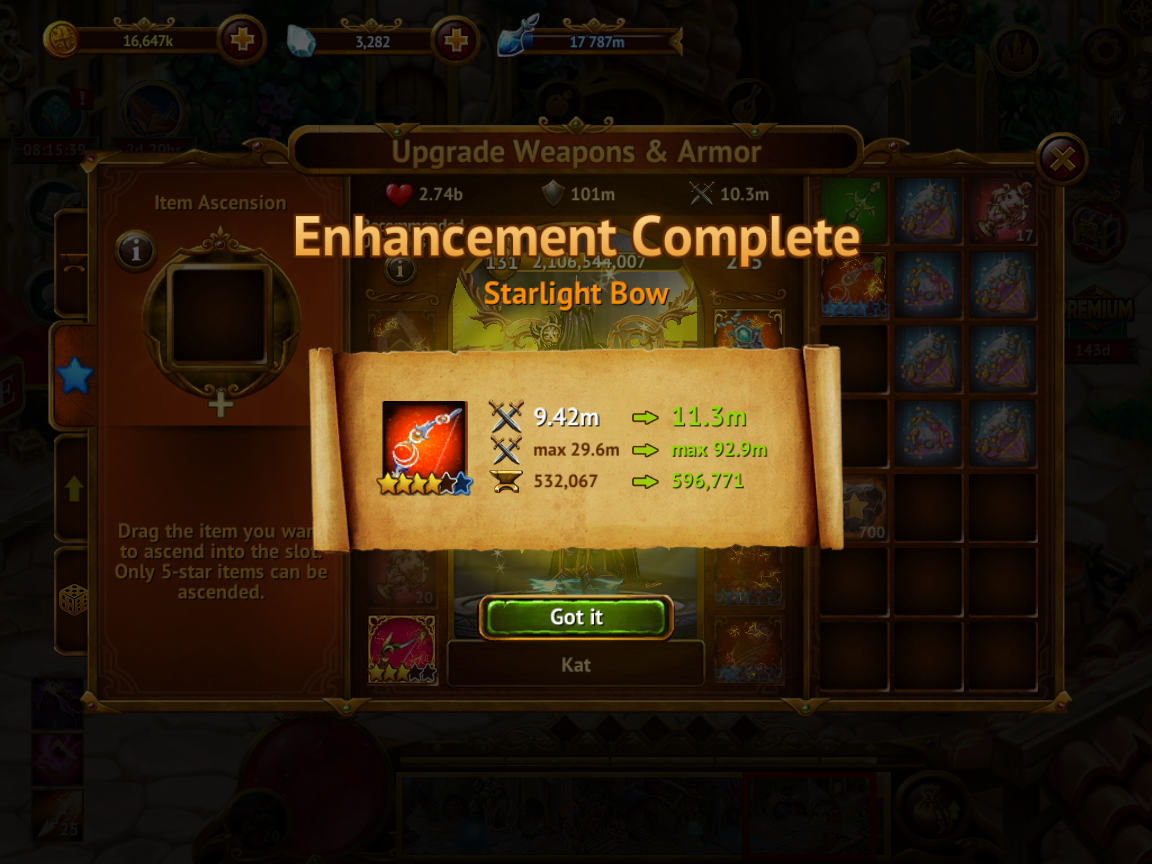
As a result of the operation, a 6th star will be added to the uplifted item, and the other item will be destroyed.
Items Melding
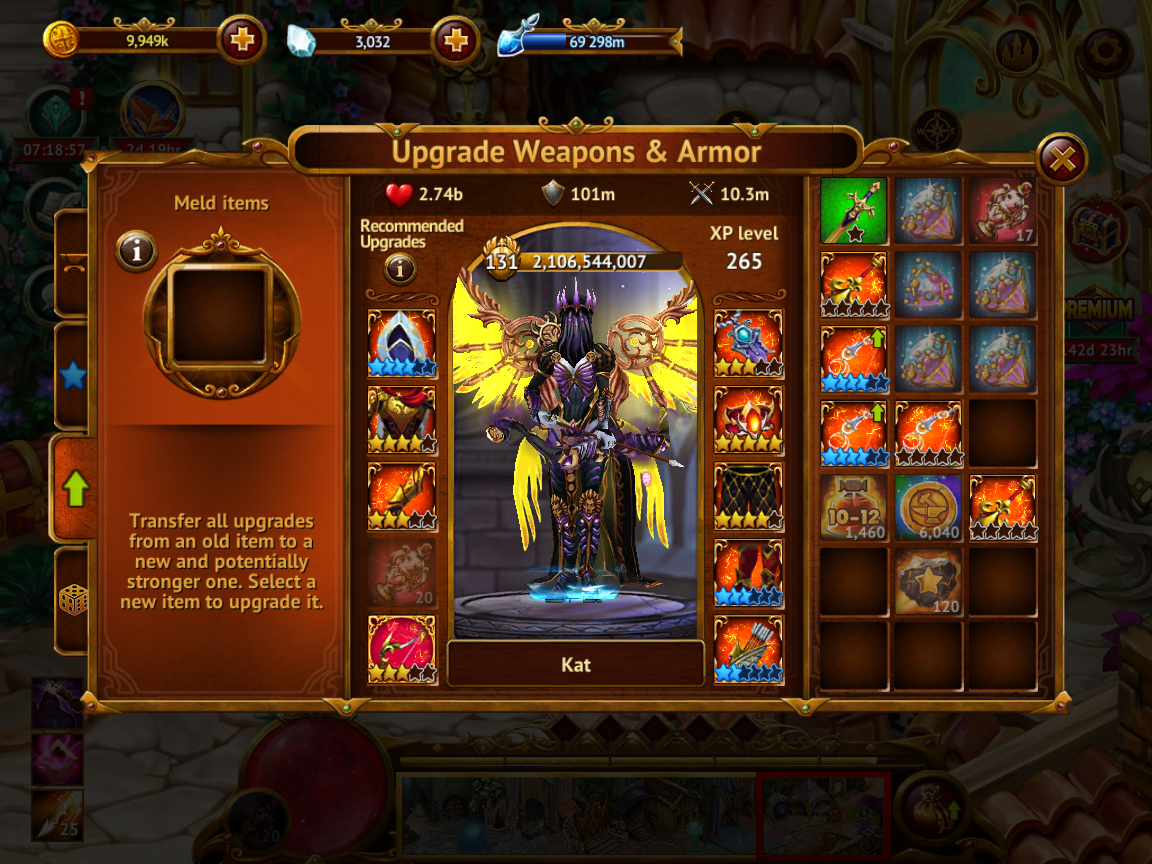
With the help of melding, you can transfer all the improvements of the old item of the set to a new, potentially more powerful one. Thus, the new item will not need to be further improved before you can start using it. You can immediately equip it without losing power.
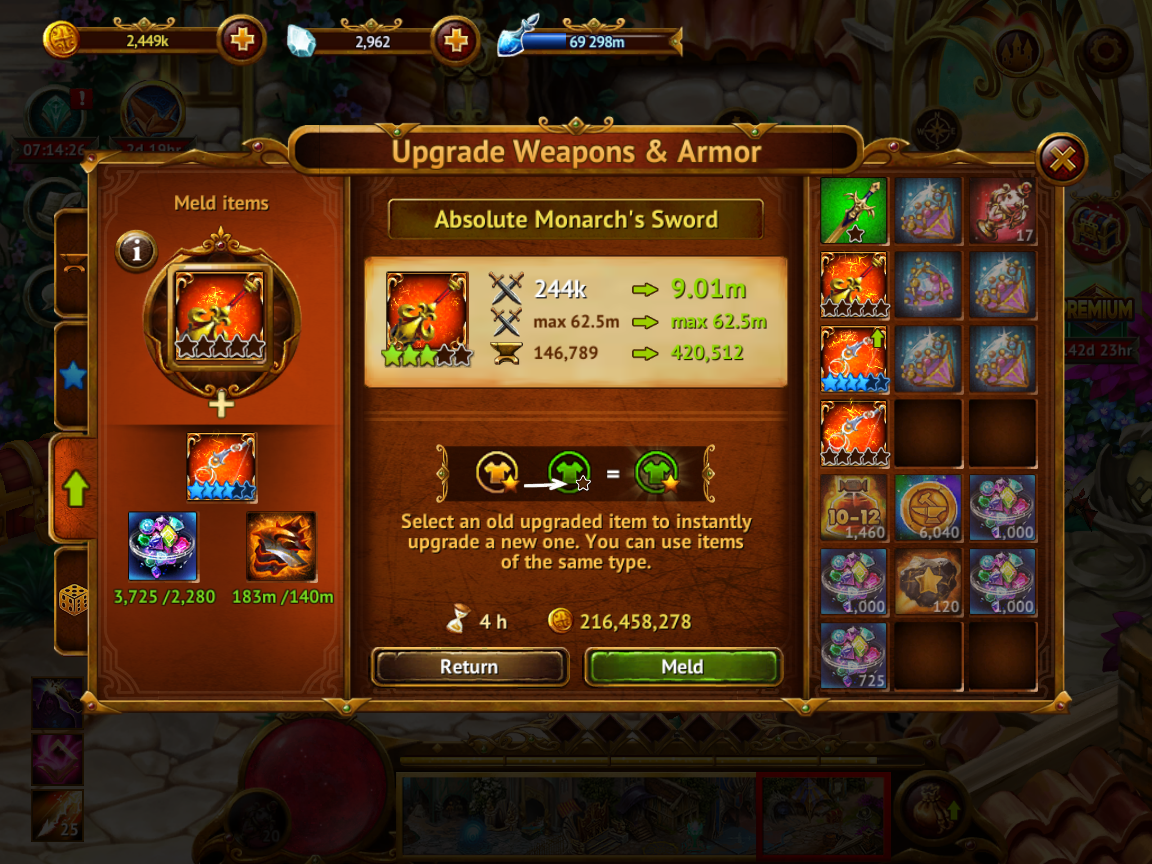
You can only meld a lower quality set item into a higher quality one. For example, a blue object can be melded into an orange one. It is impossible to do it the other way round.
Melding requires shining gems and fragments.
As a result of melding, the new set item will be strengthened, and the old one will be destroyed.
Affix Generation
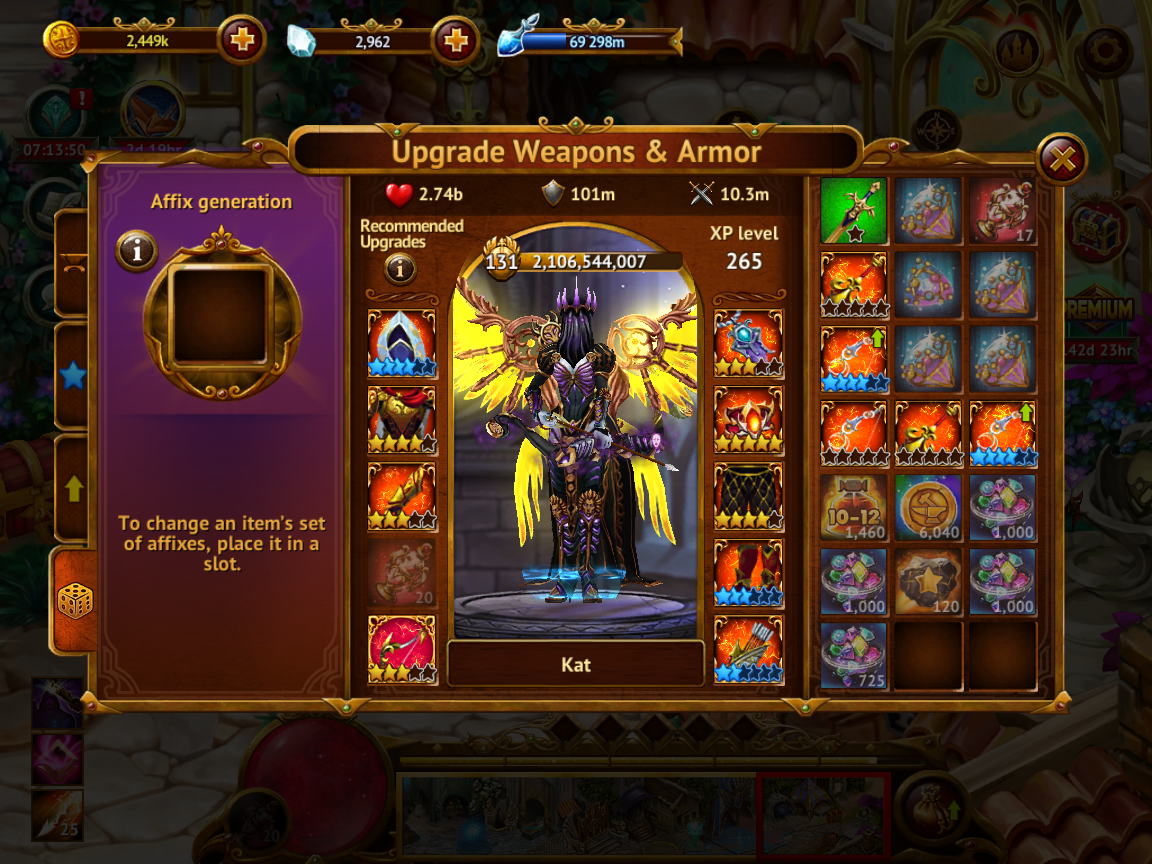
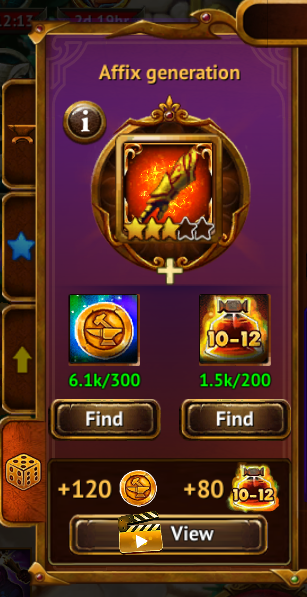
Affix generation is an operation that results in a random set of affixes appearing on an item. The amount of the bonus for each affix is also chosen randomly.
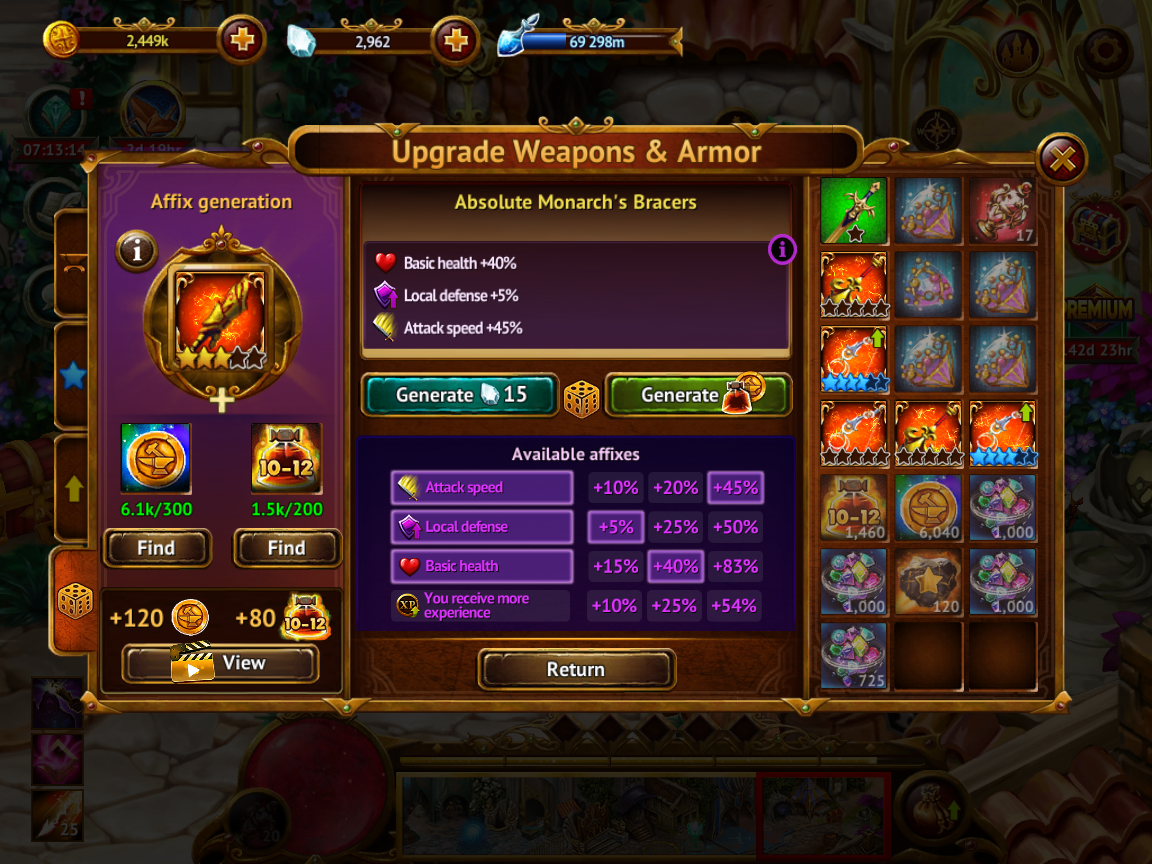
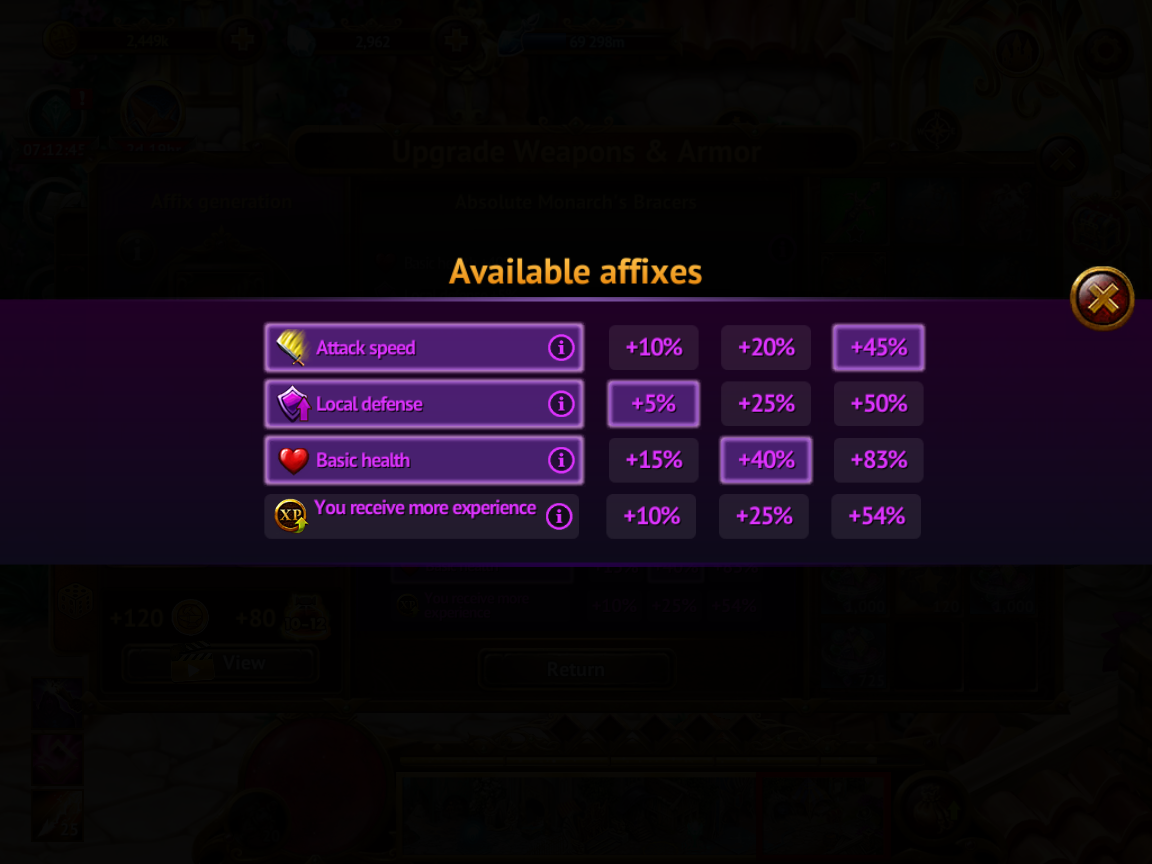
To find out what affixes can be generated on an item, tap the “i” button in the item information menu or insert the item into the generation slot. One item cannot have two identical types of affixes.
The following resources are needed for generation - Forged Coins of Luck and Elixirs of the Blacksmith. The former can be found in events, the latter in dungeons.
Items of different generations require different elixirs. To find out what elixir is required to generate affixes on an item - insert the item into the generation slot and tap on the resource icon that appears in the window, or use the “Find” button under the resource icon.
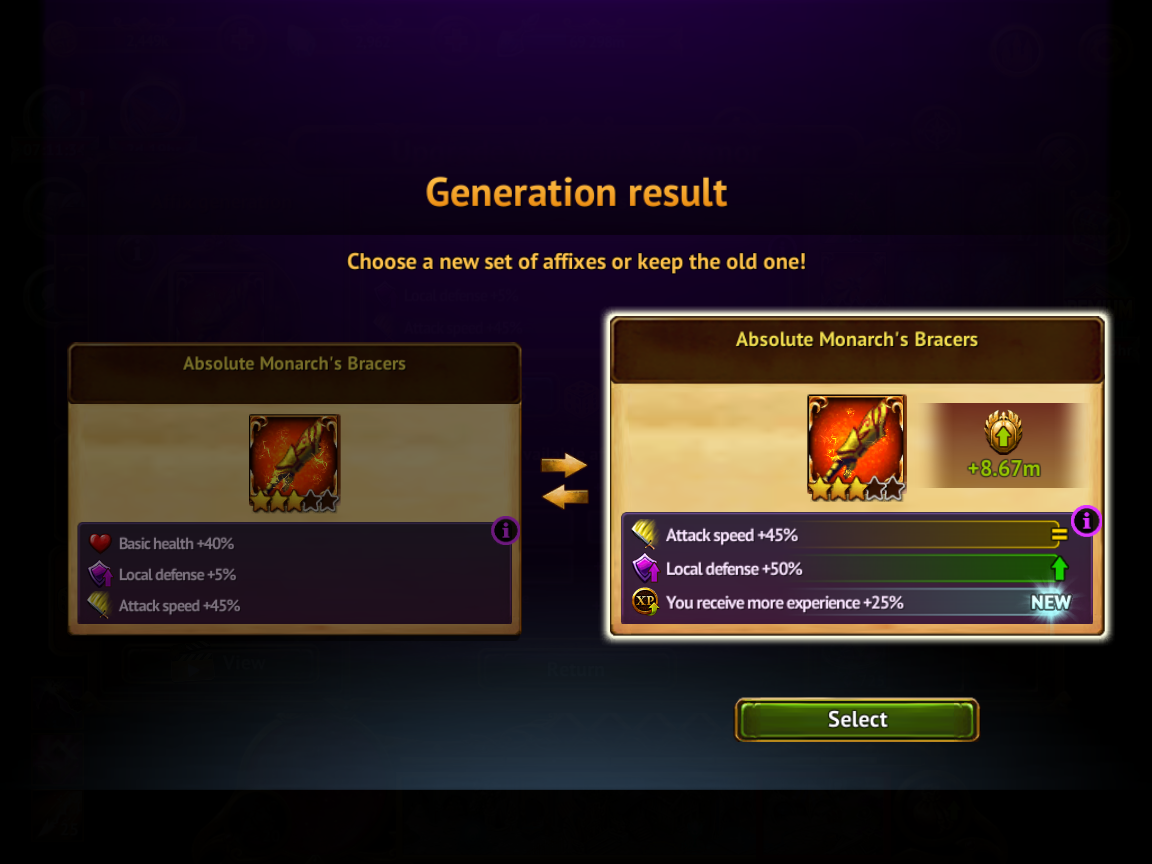
Before accepting the result of the generation, you will see how the new set of affixes will affect certain parameters of the character. This information will only be shown if the item is equipped on the character.
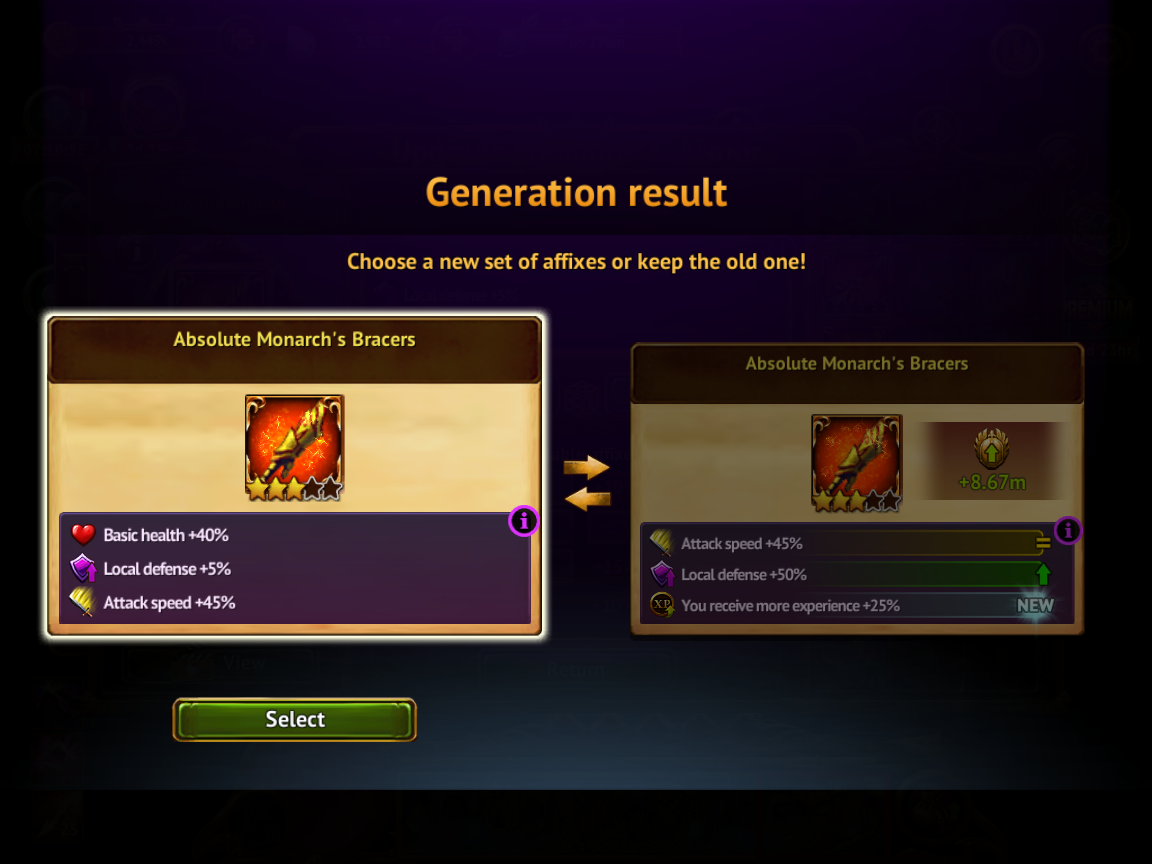
The result of the generation can be canceled free of charge by selecting the set of affixes that was available before the start of the operation. At the same time, resources for generation will still be taken off.
Comments
0 comments
Article is closed for comments.